There is more to spam calls than just annoyance. A random call has the potential to disrupt your job, wake you up, divert your attention while driving, or, if you unintentionally provide sensitive information, turn into a major scam. Fortunately, Apple has a number of built-in features that can assist cut down on unsolicited calls if you use an iPhone.
The good news is that you don’t always have to pay for a service or install another app. Your iPhone has the ability to block specific numbers, send bothersome callers directly to voicemail, detect specific spam calls, and quiet unknown callers. You might also have access to extra call-filtering and spam detection features, depending on your carrier.
This guide will teach you how to halt calls from unknown numbers, prevent spam calls on your iPhone, what happens when you block someone, and how to cut down on the quantity of unsolicited calls you get.
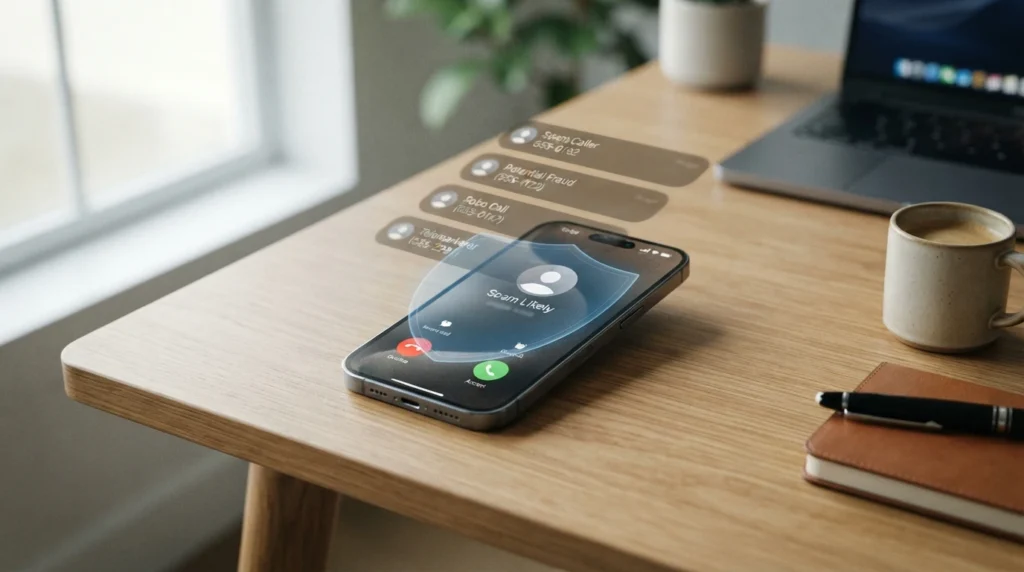
Spam Calls: What Are They?
Unwanted phone calls are known as spam calls, and they are typically made for fraudulent, telemarketing, commercial, or automated communications. While some spam calls are innocuous commercial calls, others are intended to deceive you into divulging private information.
Calls purporting to be from a bank, government agency, delivery service, insurance company, or technical support service may be placed. In many instances, the caller ID may even show a name that appears authentic or a well-known area code.
For this reason, it’s not always sufficient to just stay away from unknown numbers.
Typical indicators of a spam call consist of:
A caller you don’t know
An automated voice requesting that you press a number
Requests for verification codes, account details, or passwords
Claims that you have won something or owing money
Threats or demands for quick action
Calls from slightly different numbers on a regular basis
Calls that end as soon as you answer
It’s usually safer to end a call rather than go on a chat if it seems questionable.
How to Use an iPhone to Block a Spam Number
One of the easiest ways to stop the same unwanted number from calling you is to block that particular number.
Take these actions:
On your iPhone, launch the Phone app.
At the bottom of the screen, tap Recents.
Locate the undesirable number.
Next to the number, tap the Info (i) button.
Go down.
Press the Block Caller button.
Verify your desire to block the contact.
The person or organization using that number will no longer be able to call you normally once it has been banned.
Remember that blocking one number does not guaranty that the same spammer won’t call from another number. A lot of spam operations use caller ID spoofing or numerous phone numbers.
Because of this, blocking certain numbers is most effective when dealing with a persistent caller as opposed to a high amount of sporadic spam calls.
How to Turn Off Unknown Callers on an iPhone
The Silence Unknown Callers option can be very helpful if you frequently get calls from numbers that are not saved in your contacts.
This function keeps your iPhone from ringing calls from unknown callers. Rather, those calls can still show up in your recent calls, but they are muted and sent to voicemail.
To make it possible:
Go to Settings.
Press the Apps button.
Choose “Phone.”
Locate Unknown Callers in Silence.
Activate the feature.
The Phone settings may show up directly under Settings > Phone on various iOS versions.
Convenience is the primary benefit. Calls from unknown numbers won’t keep your phone ringing.
There is a significant drawback, though: not all anonymous callers are spammers.
A doctor, delivery person, prospective employer, school, company, or someone you really need to talk to might call from a number that isn’t saved in your contacts, for instance.
Consider whether you commonly get crucial calls from unknown numbers before turning on this option.
How to Utilize iPhone Call Identification
Call identification is an additional method of handling unsolicited calls. Your iPhone may be able to recognize incoming calls or make use of call-identification services that are supported, depending on your carrier, iOS version, and iPhone.
You can look for Call Identification or Call Blocking & Identification options in your phone’s settings.
It might detect potentially spam calls before you answer them if your carrier or spam-filtering service is compatible.
This method is helpful because, rather than automatically blocking every unknown number, you may choose whether to respond based on the information shown on your screen.
Make use of the spam protection offered by your carrier.
It’s possible that your mobile provider has a spam call protection solution of its own. Features that can identify questionable calls, identify possible spam, or prevent specific kinds of unwanted calls are offered by several carriers.
The specific features change based on your mobile plan and carrier.
Among the carrier services could be:
Identification of spam calls
Warnings against scam calls
Call blocking that happens automatically
Robocall filtering, caller ID, and alerts for suspicious numbers
It may be beneficial to visit the website or mobile app of your carrier if you are getting a lot of spam calls.
Because it may detect questionable calls before they reach your iPhone, carrier-level protection can be very useful.
Make Use of a Third-Party Spam Call Blocking App
You may want to think about using a third-party call-blocking program if your carrier’s security and Apple’s built-in features are insufficient.
These apps usually employ several methods to identify dubious callers and keep databases of known spam numbers.
Look for an app with the following features when selecting a spam call blocker:
Positive user feedback
A spam database that is updated frequently
Unambiguous privacy policies
Accurate caller identification
Simple permissions
Clear pricing
When granting a third-party app needless access to your personal data, use caution. A call-blocking program should clearly state what information it gathers and why.
Even while a famous app has millions of users, not everyone will find it to be the ideal option. Before installing it, go over its features and privacy policies.
How to Use an iPhone to Block a Contact
Although blocking a saved contact differs slightly from blocking an unknown number, the outcome is the same.
You can choose to ban the caller by opening the Contacts app, selecting the individual, and then scrolling down.
Blocking someone via the Phone or Messages app is another option.
If you are getting unsolicited calls from someone whose number you have already saved, blocking that contact may be helpful.
You shouldn’t anticipate receiving calls or messages from that person in the typical manner once the number has been banned.
What Takes Place on an iPhone When You Block Someone?
A common concern is whether the other person will be aware that they have been blocked.
When a caller is blocked, the iPhone does not notify the user.
A blocked person might still be able to leave a voicemail, depending on the sort of communication, but you won’t get the typical notification that an unblocked caller would provide you.
Therefore, blocking is helpful when you wish to cut off undesired messages without engaging with the other person.
Can Robocalls Be Completely Stopped?
Sadly, there isn’t a single setting that can ensure you won’t get any more robocalls or spam.
Scammers often use automated systems, alter phone numbers, and occasionally falsify caller ID information. This implies that if the caller just moves to a different number, blocking one number could not have much of an impact.
Combining multiple protective layers is the optimal strategy:
Put a stop to persistent spam numbers.
When it’s appropriate, silence unfamiliar callers.
Make use of the carrier spam protection that is provided.
Think of a trustworthy call-identification app.
Steer clear of answering dubious automated calls.
When appropriate, report unsolicited calls.
Instead of viewing spam protection as a flawless wall, consider it a filter.
Do Unknown Calls Need to Be Answered?
Depending on the circumstances, you may or may not respond to an unknown number.
It can make sense to answer if you anticipate receiving a crucial call from a new number. Letting the call go to voicemail is frequently a safer option, though, if you are not expecting a call and the number appears suspect.
Callers who are legitimate typically leave a voicemail, use an official channel, or have another way to identify themselves.
Be wary if you respond and hear an automated message requesting that you hit a button. Sometimes interacting with automated spam systems leads to more unsolicited calls.
How to Proceed If You Inadvertently Answer a Scam Call
If you answer a questionable call, don’t freak out.
Just hang up.
Take further action in accordance with what you revealed if you released sensitive information. For instance, call your bank using its official number if you give someone your account details.
Don’t call the number someone gave you if they said they were representing a business or government agency. Instead, look up the organization’s official contact details on your own.
The most crucial guideline is straightforward:
Never give in to pressure from a caller to make a financial choice right away.
Because they want you to act before you have time to reflect, scammers frequently generate a sense of urgency.
Benefits and Drawbacks of iPhone Spam Call Blocking
Reduced disruptions
Your phone will be lot quieter all day long if you block undesirable numbers.
Improved privacy
There are less chances for spam callers to speak with you directly.
Integrated choices:
Numerous iPhone functionalities are available without the need to purchase extra software.
Simple to handle:
It usually simply takes a few taps to block a number.
Reduced exposure to fraud:
The likelihood of unintentionally participating in a fraudulent scheme can be decreased by minimizing contact with dubious callers.
Drawbacks
Blocked numbers are subject to change:
Blocking a single phone number might not be sufficient because spammers frequently use numerous numbers.
Legitimate calls may be blocked by unknown callers:
You risk missing crucial calls if you silence every unknown number.
Permissions may be needed for third-party apps:
Certain phone-related data must be accessible for some call-filtering programs.
No approach is flawless:
Complete security is challenging due of caller ID spoofing and frequently changing spam numbers.
Typical Errors to Avoid
Although blocking spam calls is helpful, there are a few things you should not do.
Blocking All Unknown Numbers
Not all unknown callers are con artists. Consider sending unknown callers to voicemail rather than ignoring them entirely if you anticipate a crucial call.
Returning Calls to Suspicious Numbers
Before receiving a call from a caller who leaves a message requesting that you call an unknown number, independently confirm the organization.
Exchanging Personal Data
Passwords, PINs, and security codes shouldn’t be disclosed to a stranger by a reputable company.
Having Complete Faith in Caller ID
Although useful, caller ID is not evidence of a caller’s legitimacy. The data that appears on your screen can be altered by scammers.
Setting Up Apps to Block Random Calls
Before installing a third-party app, do some homework. Learn about its privacy policy and read reviews.
How to Cut Down on Future Spam Calls
Call blocking is just one aspect of the solution. Additionally, you can take action to lessen spam in the future.
Use caution when disclosing your phone number. Don’t make anything public unless absolutely necessary.
Verify whether you are consenting to marketing communications while registering for websites, competitions, newsletters, or online services.
Additionally, you should refrain from answering dubious calls or texts. A phone number may continue to receive unsolicited communications if a spammer is aware that it is operational and someone answers.
Using carrier-level spam protection in addition to the built-in capabilities on your iPhone can offer an extra line of defense if your number is frequently targeted.
FAQ
How can I prevent my iPhone from receiving spam calls?
By visiting Recents, hitting the Info button next to the number, then choosing Block Caller, you can use the Phone app to block certain numbers. To stop unknown numbers from ringing your iPhone, you can also utilize Silence Unknown Callers.
Is there a built-in spam call blocker on the iPhone?
The iPhone has a number of features that can help handle unsolicited calls, such as caller blocking and the option to mute unidentified callers. Your carrier or approved call-identification services might also offer more spam detection.
Can I use my iPhone to ban all unknown numbers?
To stop calls from unknown numbers from ringing normally, you can utilize Silence Unknown Callers. This can, however, also muffle calls from numbers you haven’t saved.
Will a caller who has been blocked be aware that they are blocked?
Apple does not notify the caller that you have blocked them. They might discover that their calls aren’t connecting properly, though.
Why, even after blocking numbers, do I still receive spam calls?
Spammers might falsify caller ID information or use various phone numbers. Therefore, blocking certain numbers does not always prevent spam calls in the future.
Is using a third-party spam call blocker safe?
Reputable apps can be helpful, but before installing them, you should check their privacy statement, permissions, reputation, and cost.
Should I take calls that have been flagged as spam?
Generally speaking, it is safer to let a call go to voicemail if it is obviously marked as possible spam and you are not expecting it. Use an official channel to confirm the caller’s identification if they say they are representing an organization.
Can I use an app to block spam calls?
Indeed. Without installing a separate software, you can use the iPhone’s built-in call-management features and block specific numbers.
Can con artists impersonate a local phone number?
Indeed. A questionable call may appear to originate from a known area code or even a local number thanks to caller ID spoofing. Just because a caller’s number seems familiar doesn’t mean they are trustworthy.
What’s the Best Way to Keep Spam Calls Off Your iPhone?
No one-size-fits-all solution exists to stop all spam calls. The best approach typically combines carrier-level security, the iPhone’s built-in settings, cautious handling of unexpected callers, and, if needed, a reliable call-filtering service.
Final Decision
It doesn’t take complex technological knowledge to learn how to filter spam calls on an iPhone. Apple’s built-in call-blocking and unknown-caller features are sufficient for many consumers to detect a difference.
Block a specific number if it keeps bothering you. Silence Unknown Callers can offer a more aggressive alternative if you don’t often require calls from unknown numbers. If spam calls continue to be a significant issue, find out what security your mobile provider offers and think about using a reliable third-party call-identification service.
The most crucial thing is to avoid depending just on one feature. The numbers, strategies, and techniques used by spam callers are always changing. Your resistance is strengthened when you combine call-filtering solutions with sensible privacy practices.
Making your iPhone quieter isn’t the main objective. The goal is to cut down on pointless distractions while making it more difficult for aggressive telemarketers and scammers to capture your attention.
The easiest rule to keep in mind if you receive a dubious call is that you are not required to stay on the phone. Never let an unexpected caller coerce you into paying money or disclosing private information. Instead, hang up and independently confirm the facts.